
%201.svg)


IT equipment is the largest category of appliance in most UK offices — and it's also the category most people get wrong on PAT testing. The misconceptions range from "IT kit is exempt" (it isn't) to "the laptop itself needs testing" (it doesn't) to "everything has to be tested annually" (it doesn't, by a long way).
This post clears up what actually needs testing in an IT setup, what doesn't, how the testing differs from general appliances, and the specific traps that catch out testers and managers alike.
The basic rule for IT equipment
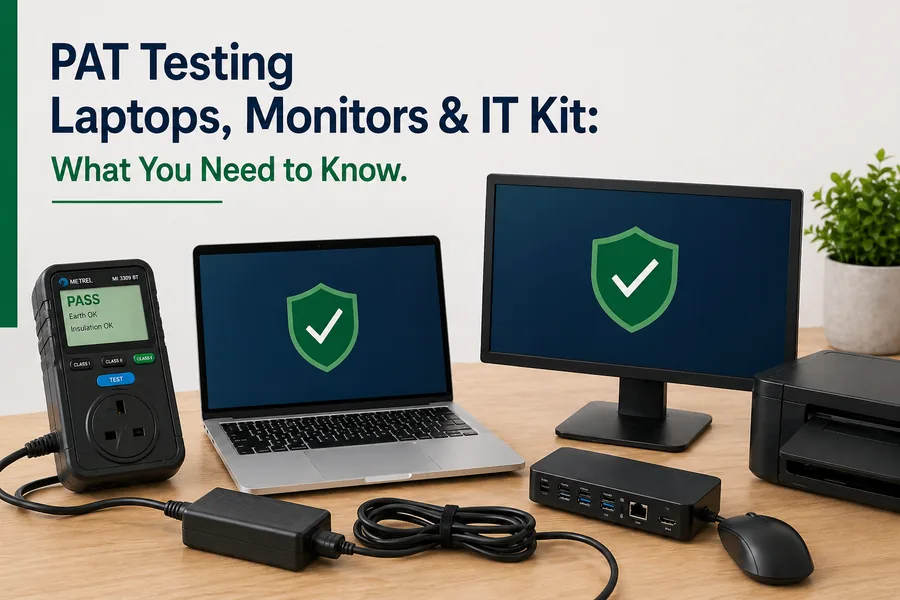
If a piece of IT kit is mains-powered, it's in scope for PAT testing. The category covers desktop PCs, monitors, printers, scanners, photocopiers, servers, network switches, projectors, AV equipment and the chargers/power supplies for laptops, tablets and phones.
What's not in scope is the part of the equipment that runs on internal low-voltage DC — the laptop itself, the tablet, the phone. Those run on a battery charged via an external charger; the charger is the mains-connected component, and it's the charger that gets tested.
The laptop charger trap
This catches out a remarkable number of organisations. The widespread assumption is that "the laptop is the appliance," and so the laptop is what's recorded on the asset register. But the laptop runs at 19V DC from its battery and isn't connected to the mains in any meaningful PAT testing sense.
The correct setup:
- The laptop itself: not PAT tested, not normally on the register
- The laptop charger (power brick + lead): PAT tested as a Class 2 appliance, on the register with its own asset ID
- The IEC lead from charger to wall: PAT tested separately as a detachable mains lead
So a single laptop on a desk can generate two separate test items on the register — the charger and the IEC lead. Multiplied across 50 staff, that's 100 test items where you might have expected 50.
The same logic applies to phone chargers, tablet chargers, monitor chargers (where external) and any other DC-powered IT device.
What about monitors?
Modern monitors come in two configurations:
- External power brick: same as a laptop charger. Test the brick and the IEC lead separately.
- Internal PSU with a kettle lead: the monitor itself contains the mains-to-DC conversion. The kettle lead (IEC lead) gets tested as a detachable lead, and the monitor body is tested as a Class 1 appliance because the metal case relies on the earth.
In practice, most large office monitors (24"+ business displays) have internal PSUs and behave as Class 1 appliances. Smaller home/portable monitors increasingly use external bricks.
What testing class is each piece of IT kit?
Quick reference for common IT equipment:
- Desktop PCs (with metal case and integral PSU): Class 1
- Monitors with internal PSU: Class 1
- Monitors with external power brick: the brick is Class 2; the monitor itself isn't separately tested
- Laptops: not tested; chargers are Class 2; IEC leads tested separately
- Tablet/phone chargers: Class 2
- Office printers: usually Class 1 (with detachable IEC lead also tested)
- Photocopiers/MFDs: Class 1
- Network switches and routers: Class 1 if rack-mounted with metal case, Class 2 if external power brick
- Projectors: usually Class 1 with detachable IEC lead
- Servers: Class 1, with each PSU and lead tested if redundant
- UPSs (uninterruptible power supplies): Class 1 — and notably high-risk, see below
Our full breakdown of the difference between Class 1 and Class 2 equipment is in our Class 1 vs Class 2 guide.
How often does IT equipment need testing?
IT equipment generally falls into the lowest-risk category for testing intervals — it's not moved much, it's used by trained staff, the environment is benign. The IET intervals for office IT equipment are:
- Class 1 IT equipment in offices: every 48 months
- Class 2 IT equipment in offices: every 60 months
Yes — 4 to 5 years between tests for typical office kit. User checks and occasional formal visual inspections fill the intervals. Testing every laptop charger annually is unnecessary expense.
For non-office environments (schools, public-facing premises, industrial), the intervals tighten. Our full PAT testing frequency table breaks this down by environment.
The high-risk items in an IT setup
Within a typical IT estate, a few items are noticeably higher-risk than the rest and warrant tighter intervals or more careful inspection:
IEC leads
The "kettle lead" between a wall socket and a PC, monitor, printer or projector is moved more than almost any other IT cable. They get crushed under chair wheels, snagged on desk edges, yanked out the wrong way and worked loose. They also vary wildly in quality — bargain-basement leads have noticeably higher failure rates than branded equivalents.
Inspect IEC leads carefully on every visual inspection, and don't be afraid to bin and replace cheap ones at the slightest sign of wear.
Laptop chargers
Modern laptop chargers face the worst working conditions of any IT appliance. They're carried in bags, dropped, twisted, stood on, crushed under heavier items, and the cable kinks at the strain relief from constant flexing. The cable failure point is almost always at one of the two ends, where strain relief has worn through.
Visual inspection of laptop chargers should specifically check the cable at both ends for fraying, exposed conductors or any sign of internal damage.
Extension leads and multi-way adapters
Extension leads in IT setups are often heavily overloaded and chained together (against the regulations, but it happens). They get their own dedicated post on extension lead PAT testing.
UPSs and battery backup units
UPSs contain large internal batteries and operate at high currents. Failures can be dramatic. They benefit from manufacturer servicing in addition to PAT testing — the PAT test confirms the mains-side wiring is safe, but doesn't say anything about whether the battery is approaching end of life.
Server room and data centre considerations
Server rooms are usually treated as separate environments from general office space:
- Higher equipment density means tighter physical access
- Continuous operation makes scheduling tests difficult — power-down windows are required
- Higher cumulative current loads put more stress on cables and connectors
- Redundant PSUs mean each unit has multiple mains connections, all needing testing
Many organisations tackle this by scheduling server room PAT testing during a planned maintenance window — often combined with cleaning and other physical maintenance. The testing intervals are typically the same as general office IT (48 months for Class 1, 60 months for Class 2), but the practicalities of carrying out the tests are very different.
A competent tester needs to understand the operational implications. Testing a server at the wrong moment can take down a production system. This is one area where in-house testing — by somebody who knows the systems — can be significantly safer than bringing in an outside contractor.
Common IT-specific issues that come up in testing
Earth bonding on PCs
Some older or budget desktop PCs have less-than-perfect earth bonding between the PSU and the case. The earth continuity test occasionally fails or comes back marginal even on apparently fine machines. The fix is usually to clean the contact points where the PSU mounts to the chassis, but it can also indicate a failing PSU.
IEC leads with broken earth pins
A surprisingly common find. The third pin on a UK plug is sometimes damaged or pushed inwards on cheap leads. The polarity check passes, the appliance powers up, but if the appliance is Class 1, you've got an unearthed metal-case appliance — which is dangerous. Visual inspection catches these, but only if the tester knows to specifically check the plug pins.
Power bricks failing insulation tests
Cheap third-party laptop chargers (sold via online marketplaces) sometimes fail the insulation resistance test even when brand new. The pass thresholds for Class 2 appliances are demanding, and inferior insulation in budget power bricks doesn't always meet them. A failed brick should be replaced — not "passed because it's new."
Equipment with no clearly defined class
Some specialist IT equipment doesn't fit neatly into Class 1 or Class 2. Plastic-cased printers with metal internal parts, monitors with mixed plastic/metal construction, networking equipment with grounded racks. The competent tester makes a judgment call based on construction, and documents the rationale.
Charge stations, docking hubs and USB-C-only kit
The shift to USB-C charging has introduced new categories of IT mains equipment:
- USB-C charging hubs: typically Class 2, treated as a power supply
- Charging docks for multiple devices: Class 2, tested as one unit
- Wireless charging mats: Class 2, tested as a power supply
- Multi-port wall chargers: Class 2, individually tested
These all behave like external power supplies for PAT testing purposes, regardless of whether they're charging a phone, laptop or accessory.
Frequently asked questions
Do laptops need PAT testing?
The laptop itself doesn't — it runs on its internal battery and low-voltage DC. The charger does, as a Class 2 appliance. So does the IEC lead between the charger and the wall, tested separately as a detachable lead.
Do monitors need PAT testing?
Yes. Monitors with internal PSUs are Class 1 and tested with the IEC lead tested separately. Monitors with external power bricks have the brick tested as a Class 2 appliance.
How often should office IT equipment be PAT tested?
Class 1 office IT equipment is on a 48-month interval; Class 2 is on a 60-month interval. User checks and formal visual inspections happen more frequently between full tests.
Do servers need PAT testing?
Yes. Servers are Class 1 appliances, and each redundant power supply and lead is typically tested separately. Server room testing usually requires a planned maintenance window for power-down access.
What class is a laptop charger?
Class 2. The double-insulation construction means there's no earth pin on the plug end, and it gets a Class 2 test sequence (insulation resistance, polarity, no earth continuity test).
Do printer cables need separate PAT testing?
Yes — the IEC lead from a printer to the wall is tested separately from the printer itself. So a printer generates two test items: the appliance and its detachable lead.
Where in-house IT testing makes sense
Most UK offices have somewhere between 50 and 500 individual IT-related test items once you count all the chargers, leads, monitors and peripherals properly. At that volume, outsourcing every 4–5 years is reasonable — but in-house testing makes more sense if your IT estate changes frequently, has multiple sites or includes sensitive systems where third-party access is awkward.
A one-day accredited PAT testing course gives an in-house tester everything they need to handle a full IT estate competently. The course covers the specific complications of IT equipment, the difference between Class 1 and Class 2 testing, and the documentation expected from a professional regime.
For most office environments, the genuine answer to "how do I PAT test our IT?" is: less often than you think, more carefully than a contractor might, and with proper attention to the laptop chargers and IEC leads that nobody pays enough attention to. Get those right, and the rest takes care of itself.